

You’re getting traffic. Maybe a few thousand visitors a month, maybe tens of thousands. Your Google Analytics dashboard looks healthy. Your content is ranking. Your ads are driving clicks.
But here’s the problem: 97% of those visitors leave your website without filling out a form, booking a demo, or doing anything that tells you who they are.
They browse your pricing page. They read your case studies. They compare you against competitors. Then they close the tab and disappear - taking their buying intent with them.
The question marketing managers and sales leaders keep asking is: can you actually find out who these anonymous visitors are?
The answer is yes. And the technology has gotten dramatically better in the past year. Today’s best tools to identify anonymous website visitors can reveal names, email addresses, phone numbers, LinkedIn profiles, and company details - all without the visitor ever filling out a form.
This guide walks you through exactly how it works, what data you can expect, how to set it up, and which tools deliver the best results in 2026.
How Website Visitor Identification Works
If you’re not technical, don’t worry - the concept is simpler than it sounds.
Every person who visits your website leaves behind digital signals. These include:
- IP address - the network they’re browsing from
- Browser cookies - small files stored from previous sessions
- Device fingerprint - a combination of browser type, screen size, operating system, and other technical details that create a semi-unique signature
Visitor identification software collects these signals and matches them against large databases of verified identities. These databases are called identity graphs - massive, constantly updated repositories that link digital signals to real people and companies.
Here’s the critical part: the quality of the identity graph determines your match rate. A tool with access to a thin or outdated identity graph might identify 5-10% of your visitors. A tool with a proprietary, deep identity graph can identify 30-40%.
Two Approaches: Company-Level vs. Person-Level
Not all visitor identification is the same. There are two fundamentally different approaches:
| Approach | What You Get | Typical Match Rate |
|---|---|---|
| Company-level | Company name, industry, size, location | 10-20% |
| Person-level | Individual name, email, phone, LinkedIn, job title | 5-40% (varies by method) |
Company-level tools tell you “someone from Acme Corp visited your pricing page.” That’s useful, but you still need to figure out who at Acme Corp was browsing - and that means manual research or a separate contact database.
Person-level tools tell you “Sarah Chen, VP of Marketing at Acme Corp, visited your pricing page at 2:14 PM, spent 3 minutes reading, and it was her second visit this week.” That’s actionable.
A Quick Note on Legality
In the United States, website visitor identification is legal under CCPA frameworks. These tools use publicly available and consented data, and most provide opt-out mechanisms for consumers.
For EU visitors, GDPR restricts person-level identification. Only company-level identification (via IP-to-company matching) is available for European traffic. If your audience is primarily EU-based, you’ll want a tool with strong GDPR compliance built in.
What Data Can You Actually Get?
One of the biggest frustrations with this space is inflated marketing claims. Let me set realistic expectations for each tier of tool.
Company-Level Tools
These tools resolve the visitor’s IP address to a company name. You’ll typically get:
- Company name
- Industry and sub-industry
- Employee count and revenue range
- Headquarters location
- Pages visited, session duration, and traffic source
What you won’t get: The name of the individual who visited. You’ll know the company, but finding the right contact is still on you.
Person-Level Tools (Probabilistic)
Probabilistic tools use statistical matching - they estimate who the visitor likely is based on patterns and signals. Results include:
- Name (with varying confidence)
- LinkedIn profile URL
- Sometimes email (often paywalled)
Typical match rate: 5-15%. Accuracy varies because probabilistic matching is fundamentally guessing. You might get the wrong person from the right company, or a contact who left that company months ago.
Person-Level Tools (Deterministic)
Deterministic tools use verified, first-party data to confirm visitor identity. This is the gold standard. You get:
- Full name
- Personal email address
- Business email address
- Phone number
- LinkedIn profile URL
- Company name, job title, and seniority
- Complete behavioral data: pages visited, time on each page, click paths, return visits
Typical match rate: 30-40%. Because the data is verified rather than guessed, accuracy is significantly higher. When a deterministic tool says “this is Sarah Chen,” it’s confirmed - not a statistical estimate.
Step-by-Step: Setting Up Visitor Identification
One of the best things about modern visitor identification software is how fast you can get started. Most tools require zero developer involvement. Here’s what the typical setup looks like:
Step 1: Install the JavaScript Pixel (2-5 Minutes)
Every visitor identification tool works through a small snippet of JavaScript that you paste into your website’s header. It looks similar to a Google Analytics tag. If you can add a script tag to your site, you can install visitor ID.
Most platforms support one-click installs for WordPress, Shopify, Webflow, and other popular builders. For custom sites, it’s a simple copy-paste into your <head> tag.
Step 2: Configure Your Integrations
The data is only useful if it flows to the tools your team already uses. During setup, connect your:
- CRM (HubSpot, Salesforce, Pipedrive) - auto-create contacts and leads
- Slack - get real-time notifications when high-value visitors are on your site
- Email platform - trigger personalized outreach sequences
- Webhooks - push data to Clay, Zapier, or any custom workflow
The best software to identify website visitors and push to Slack will let you configure channel-specific alerts - for example, pricing page visitors go to #sales-alerts, blog readers go to #marketing-leads.
Step 3: Set Up Suppression Lists
This is where many teams skip ahead and regret it later. Suppression lists prevent you from wasting identification credits on people you already know:
- Existing customers - import your CRM contacts
- Internal employees - exclude your company’s IP ranges and email domains
- Disqualified leads - people who’ve already said no
Without suppression, you’ll burn credits identifying your own team members and current clients.
Step 4: Define Page Exclusions
Not every page visit signals buying intent. Exclude pages that don’t indicate a potential lead:
- Careers page (they want a job, not your product)
- Privacy policy and terms of service
- Support/help center (existing customers)
- Login page
Focus your identification budget on high-intent pages: pricing, product features, case studies, comparison pages, and demo request pages.
Step 5: Start Receiving Identified Visitor Data
Once the pixel is live and integrations are configured, data starts flowing immediately. Most tools show your first identified visitors within minutes of installation.
From here, you’ll see a real-time dashboard of identified visitors with their contact details, behavioral data, and visit history. Your CRM will start populating with new leads. Your Slack channel will light up with alerts.
Best Tools for Identifying Website Visitors (2026)
I’ve tested the leading tools in this space across real traffic. Here’s how they rank for teams that want actionable contact information - not just company names.
1. Leadpipe - Best Overall (Person-Level, Deterministic)
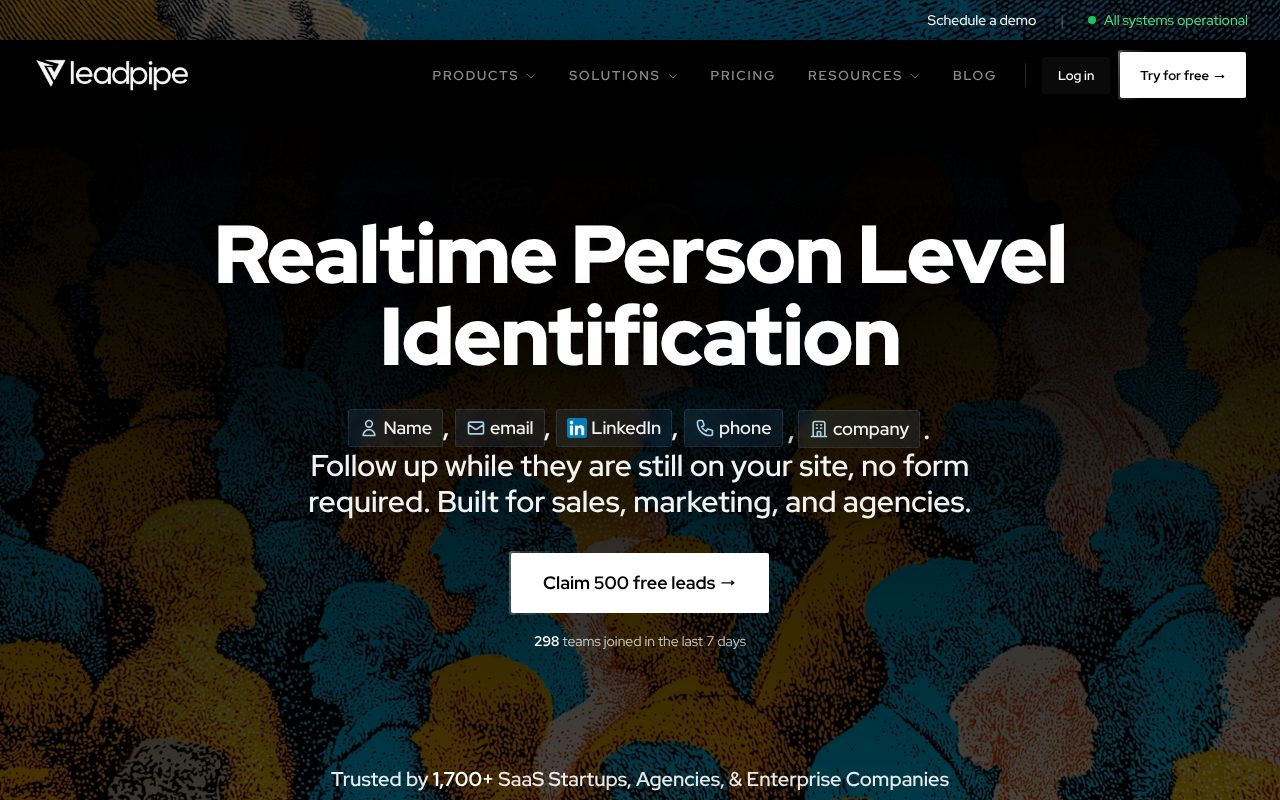
The top choice for teams that want full contact data with the highest match rates.
Leadpipe uses deterministic matching powered by its own proprietary identity graph - it’s not reselling someone else’s data. This matters because it means higher match rates and fresher data than tools that depend on third-party providers.
| Feature | Details |
|---|---|
| Match rate | 30-40%+ |
| Data returned | Name, personal email, business email, phone, LinkedIn, company, job title, seniority, behavioral data |
| Starting price | $147/mo for 500 identified visitors |
| Setup time | 2-5 minutes, fully self-service |
| Integrations | 200+ native connectors + Zapier + webhooks |
What sets Leadpipe apart from other lead generation software that identifies anonymous visitors is coverage depth. It identifies visitors even when they don’t have a LinkedIn profile - using email, phone, and firmographic data from its identity graph. Most competitors rely heavily on LinkedIn matching, which means they miss anyone not actively maintaining a profile.
Best for: B2B marketing and sales teams that want actionable contact data delivered to their CRM and Slack in real-time.
Try Leadpipe free with 500 leads →
2. RB2B - Best Free Option (Person-Level, Probabilistic)
A solid starting point for teams testing the concept on a budget.
RB2B gained popularity by offering free person-level identification via Slack notifications. It’s a good way to see visitor identification in action before committing to a paid tool.
| Feature | Details |
|---|---|
| Match rate | 5-15% |
| Data returned | LinkedIn profiles (free), email (Pro only at $149/mo) |
| Starting price | Free for 150 IDs/month |
| Key limitation | Only identifies visitors with LinkedIn profiles. No phone numbers at any tier. |
RB2B uses probabilistic matching, which means lower accuracy and a higher chance of misattribution. The free plan is Slack-only with no CRM integration or CSV export.
Best for: Teams that want to test visitor identification before investing in a paid solution. Expect to upgrade once you see the value.
3. Warmly - Best for Real-Time Engagement
Combines visitor identification with live chat and scheduling.
Warmly is unique because it bundles identification with real-time engagement features. When a visitor is identified, your team can immediately chat with them, start a video call, or offer a calendar link - all from one platform.
| Feature | Details |
|---|---|
| Match rate | 15-25% |
| Data returned | Contact identification + live engagement features |
| Starting price | $900/mo |
| Key limitation | Premium pricing. Overkill if you just need contact data. |
Best for: Sales teams that want to engage visitors the moment they’re identified, especially for high-value pages like pricing and demo pages.
4. Leadfeeder (Dealfront) - Best for European Companies
The go-to for EU-based teams prioritizing GDPR compliance.
Leadfeeder (now part of Dealfront) has been in the visitor identification space for years and has strong European market coverage. However, it’s strictly company-level - you get the company name but not individual contacts.
| Feature | Details |
|---|---|
| Match rate | ~15% (company-level only) |
| Data returned | Company name, size, industry, pages visited |
| Starting price | €99/mo |
| Key limitation | No individual contact data. You’ll need a separate tool or manual research to find the right person. |
Best for: EU-based teams that need GDPR-native company-level identification and don’t mind the extra step of finding individual contacts.
5. Clearbit (Breeze Intelligence) - Best for HubSpot Users
Deep company enrichment for teams already in the HubSpot ecosystem.
Clearbit was acquired by HubSpot and rebranded as Breeze Intelligence. It enriches company records with 200+ data fields and integrates natively with HubSpot’s CRM. But it’s company-level only - no person-level visitor identification.
| Feature | Details |
|---|---|
| Match rate | 15-20% (company-level only) |
| Data returned | Company enrichment (200+ firmographic fields) |
| Starting price | ~$12,000/year, requires HubSpot |
| Key limitation | No person-level identification. Expensive for what you get. |
Best for: Teams deeply embedded in HubSpot that want rich company data appended to their CRM records.
6. Snitcher - Best Budget Company-Level Option
Simple, affordable company identification for small teams.
Snitcher offers straightforward company-level identification at a lower price point than most competitors. It’s no-frills but effective for teams that just need to know which companies are visiting.
| Feature | Details |
|---|---|
| Match rate | ~15% |
| Data returned | Company-level only |
| Starting price | $49/mo |
| Key limitation | No individual contacts. Limited integrations compared to larger platforms. |
Best for: Small B2B teams with limited budgets that want basic company-level identification to guide outbound prospecting.
How to Choose the Right Tool
With so many options, here’s a simple decision framework:
- If you want individual contacts with full data → Leadpipe. Highest match rates, deterministic accuracy, and the most complete contact profiles.
- If you want to test the concept for free first → RB2B’s free tier. Then upgrade to Leadpipe when you’re ready for better results.
- If you only need company names → Leadfeeder or Snitcher, depending on your budget and geography.
- If you want real-time chat plus identification → Warmly. Premium price, but combines two tools into one.
- If you’re HubSpot-native and want enrichment → Clearbit/Breeze Intelligence.
- If you need enterprise ABM with intent data → 6sense or Demandbase. These are a different category entirely (and a different budget - $50K+/year).
The most important factor is match rate multiplied by data quality. A tool with a 40% match rate that delivers verified emails and phone numbers will generate 5-10x more pipeline than a tool with a 15% match rate that only returns company names.
What to Do With Identified Visitors
Identifying visitors is only half the equation. The real value comes from what you do with the data. Here’s how high-performing teams turn identified visitors into revenue:
Immediate Outreach (Within 24 Hours)
Buyer intent decays fast. Research shows that contacting a lead within the first hour of their visit makes you 7x more likely to have a meaningful conversation than waiting even 24 hours. Set up real-time Slack alerts or CRM triggers so your sales team can act while the visitor’s interest is fresh.
Personalized Email Sequences
Generic “just checking in” emails don’t work. Reference the specific pages they viewed:
“Hi Sarah - I noticed you were researching visitor identification pricing this week. Most teams in your position are comparing match rates and trying to figure out cost-per-lead. Would a quick walkthrough of the numbers be helpful?”
This kind of personalization is only possible when you know which pages the visitor spent time on.
CRM Enrichment and Pipeline Building
Auto-push identified visitors into your CRM with full contact details and behavioral data attached. This eliminates the manual data entry that slows down your BDR team and ensures no high-intent visitor falls through the cracks.
Ad Retargeting
Upload identified visitor emails to build custom audiences on LinkedIn, Meta, and Google. You’re no longer retargeting broad “website visitor” audiences - you’re retargeting specific people you know are in-market.
Lead Scoring Based on Behavior
Not every identified visitor is a qualified lead. Score them based on:
- Which pages they visited (pricing page = high intent)
- How many times they’ve returned (repeat visitors = actively evaluating)
- Time spent on site (longer sessions = deeper research)
- Company fit (right size, industry, and geography)
This helps your sales team prioritize the hottest leads instead of working a flat list.
Common Mistakes to Avoid
After working with hundreds of teams rolling out visitor identification, these are the most frequent pitfalls:
Don’t spam every identified visitor. Just because you can contact someone doesn’t mean you should. Use behavioral signals to prioritize: someone who visited your pricing page three times is a much better outreach candidate than someone who bounced from a blog post after 10 seconds.
Don’t ignore suppression lists. Without them, you’ll waste identification credits on existing customers, employees, and disqualified leads. Set these up on day one.
Don’t rely on company-level data alone if you have no BDR team. Company-level tools tell you “Acme Corp visited.” But if nobody on your team has time to research who at Acme Corp is the right contact, that data sits unused. Person-level tools eliminate this bottleneck entirely.
Don’t compare tools by monthly price alone. A $49/month tool that identifies 15% of visitors at the company level costs more per actionable lead than a $147/month tool that identifies 40% at the person level with full contact data. Always calculate cost per identified lead.
Don’t skip the integration step. Visitor data sitting in a standalone dashboard doesn’t generate revenue. Push it into your CRM, your outreach sequences, and your Slack channels so your team actually acts on it.
Frequently Asked Questions
Is it legal to identify anonymous website visitors?
Yes, in the United States, website visitor identification is legal under current CCPA frameworks. These tools use publicly available and consented data sources, and reputable platforms provide opt-out mechanisms for consumers. For EU visitors, GDPR restricts person-level identification - only company-level identification (via IP-to-company matching) is permitted. Always choose a tool with built-in compliance features and clear privacy policies.
What match rate should I expect from visitor identification tools?
Match rates vary significantly by tool type. Company-level tools typically identify 10-20% of visitors. Person-level tools using probabilistic matching (like RB2B) identify 5-15%. Person-level tools using deterministic matching (like Leadpipe) identify 30-40% of US-based visitors. Your actual match rate depends on your traffic geography, traffic sources, and audience - US-based B2B traffic generally yields the highest identification rates.
Can I identify visitors from paid ads?
Yes, visitor identification works across all traffic sources including paid ads, organic search, social media, email campaigns, and direct traffic. In fact, identifying paid ad visitors is one of the highest-ROI use cases because you've already paid for that click. If 97% of your ad clicks leave without converting, identification recovers a significant portion of that spend by giving you contact data for follow-up.
Do I need a developer to set up visitor identification?
No. Most modern visitor identification tools require only a small JavaScript snippet pasted into your website's header - similar to installing Google Analytics. Platforms like Leadpipe offer self-service setup that takes 2-5 minutes. If you use WordPress, Shopify, or Webflow, many tools provide one-click install plugins. No coding knowledge is required.
What's the difference between person-level and company-level identification?
Company-level identification reveals which company a visitor works for (name, industry, size) but not the individual's identity. You still need to research and find the right contact. Person-level identification reveals the actual individual - their name, email, phone number, LinkedIn profile, and job title. Person-level tools deliver leads you can contact immediately, while company-level tools require additional manual research to be actionable.
How quickly can I start identifying visitors after setup?
Most tools begin identifying visitors within minutes of installing the JavaScript pixel. Once the snippet is live on your site and your integrations are configured, you'll see identified visitors appear in your dashboard, CRM, or Slack channel in real-time. There's no warm-up period or waiting - the identity graph matching happens instantly for each new visitor session.
Turn anonymous visitors into named leads with email, phone, and LinkedIn. Free trial, 500 leads, no card.
Related Articles
- How to Identify Anonymous Website Visitors (2026) - Comprehensive deep-dive into visitor identification methods and strategies
- 10 Best Website Visitor Identification Software - Full ranked comparison of the top tools
- 7 Best RB2B Alternatives in 2026 - Detailed comparison if you’re evaluating RB2B
- Visitor Identification Pricing Comparison 2026 - Side-by-side pricing breakdown across all major tools
- Leadpipe vs Competitors: Best Visitor ID for 2026 - Head-to-head matchup data
- Website Visitor De-Anonymization Guide - Technical guide to how de-anonymization technology works